Shopee gives you traffic. That's the real reason sellers stay. But Shopee also:
- Takes a commission on every sale (typically 5–8% depending on category and program).
- Owns your customer data — buyer phone numbers and emails are hidden from you.
- Controls your branding — your logo fights for attention with Shopee's interface.
- Puts your products next to competitors selling the same thing cheaper.
You don't have to choose. Most sellers run both: Shopee for traffic discovery, a WhatsMenu storefront for direct sales to returning customers and WhatsApp leads — with no commission, your full brand, and direct customer relationships.
This guide shows how to set up your WhatsMenu storefront alongside Shopee.
Before you start
Give yourself an afternoon. Have ready:
- Your Shopee seller login.
- Your product photos (you can reuse the ones you already uploaded to Shopee — save them from your seller admin).
- Your logo.
- Your payment details for a gateway (Billplz, Chip, HitPay, ToyyibPay, Senangpay, Stripe, and more are supported).
How do I get my product data out of Shopee?
Shopee doesn't offer a clean CSV export of your catalog the way Shopify or WooCommerce do. Your options:
- Use Shopee's Mass Upload template (if you used it before). In Seller Centre, if you originally uploaded products via the Mass Upload Excel template, you already have that file. Reuse it as the source for your WhatsMenu import after a bit of cleanup.
- Use a third-party Shopee scraper or bulk editor. Tools like StoreHub, EasyStore, or Ginee offer Shopee catalog export — some paid, some free trials.
- Manual entry. If you have fewer than 50–100 SKUs, manually re-entering them in WhatsMenu is often faster than fighting with exports. You get a chance to improve photos and descriptions in the process.
For most Shopee sellers with small-to-mid catalogs, manual entry is the realistic path.
Step 1: Save your product photos
From your Shopee Seller Centre, download the product images you want to reuse. Save them to a folder on your computer, named clearly so you can find them during upload.
Better: retake key product photos on a clean background. The biggest win over Shopee is a storefront that looks like your brand, not another listing in Shopee's search results.
Step 2: Sign up for WhatsMenu
- Go to whatsmenu.page/new and create your account.
- Fill in company name, contact, address, and working hours in Settings.
- Upload your logo in Settings → Logo.
- Set language, currency (MYR, SGD, IDR, PHP, THB, VND — all supported), and time zone in Settings → Localization.
- In Settings → Messaging, add your WhatsApp number so orders ping you instantly.
Step 3: Set up payments and delivery
- Payments: in Settings → Payment, connect the gateway you want. For Malaysia, Billplz, Chip, and ToyyibPay are popular and integrate in minutes. For the region, HitPay, Senangpay, and Stripe also work. Offline options (cash on delivery, bank transfer, QR code) are supported too.
- Delivery: in Settings → Ordering, turn on delivery and pickup. For delivery, set your zones and rates. If you use Lalamove for third-party delivery, connect it in Settings → Apps.
Step 4: Build your catalog
- Create categories that match how customers shop your brand — not how Shopee organises them. Fewer, clearer categories work better than long lists.
- Add each product: photo, name, price, short description, and variants (size, color, pack size) if applicable.
- If you sell services or high-ticket items you don't checkout online, leave them as showcase items — customers browse and enquire via the WhatsApp button.
- Turn on add-on modules as you need them — coupons, loyalty, bundles, pop-ups, reviews — from Settings → Apps.
Step 5: Share your new storefront
Every WhatsMenu account gets a storefront at https://your-name.whatsmenu.page/. You can:
- Add the link to your Shopee shop description (Shopee allows external links in the shop profile).
- Put the link in your Instagram, TikTok, and WhatsApp Business bios.
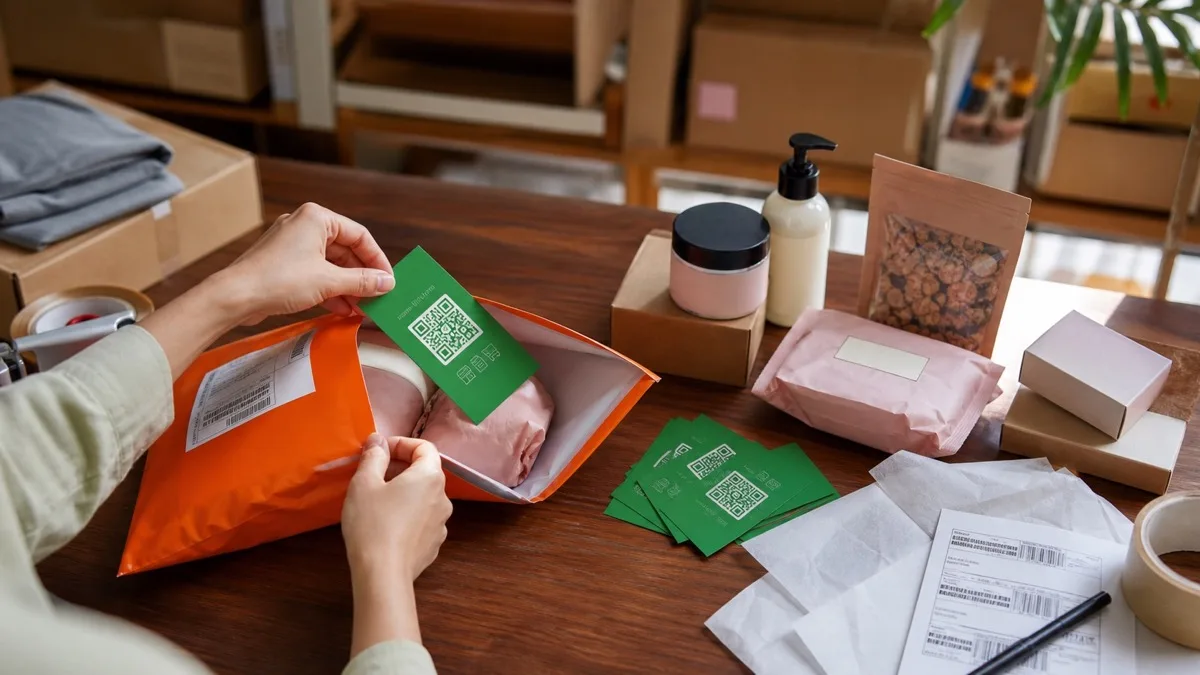
- Print a QR code on your packaging that goes to your storefront — every future Shopee buyer gets a nudge to order direct next time.
- Connect your own domain (e.g.
shop.yourbrand.com) for a cleaner brand feel.
The dual-channel playbook
Don't shut down Shopee. Run both:
- Shopee is your discovery channel. New customers find you there.
- WhatsMenu is your direct channel. Every repeat customer, every WhatsApp enquiry, every Instagram follower goes here — no commission, your brand, your data.
Slip a small card in every Shopee order with your WhatsMenu storefront QR code and a small incentive ("5% off your next order at our direct store"). Over a few months, you'll migrate your best customers off Shopee's commission while keeping Shopee as your top-of-funnel.
What you gain by having a direct storefront
- No commission per sale. Your margin comes back.
- Customer contact details — phone, WhatsApp, email. You can follow up, send coupons, offer loyalty.
- Your full brand — not Shopee's template with your logo squeezed in a corner.
- Repeat customer focus — loyalty, coupons, bundles, referrer programs all built in.
- WhatsApp order notifications — orders come straight to your phone.
- Multi-industry — retail, food, services, beauty, electronics, home, auto. Same platform covers all.
What Shopee still does better
- Discovery traffic. Shopee is a marketplace with millions of active buyers. Your own storefront only has the traffic you bring to it. That's why the dual-channel play works — Shopee for reach, WhatsMenu for margin.
- Shopee-specific buyer trust. Some buyers only shop on Shopee because of buyer protection, Shopee Pay, free shipping vouchers. You won't convert all of them to direct. Keep both.
FAQ
Can I tell my Shopee buyers to order from my storefront instead?
You can't message them directly on Shopee to promote an external store — that's against Shopee's terms. What you can do: include a thank-you card in the parcel, put the link in your Shopee shop description, run your own Instagram/TikTok/WhatsApp with your storefront link in the bio. Over time, your customers find both channels.
Do I lose my Shopee ratings and reviews?
Your Shopee ratings stay on Shopee. You'll build new reviews on WhatsMenu from scratch. Turn on the Reviews module in Settings → Apps so new customers can rate products directly.
What currency and language does WhatsMenu support?
MYR, SGD, IDR, PHP, THB, VND, and many more. WhatsMenu is used across multiple languages — your storefront runs in whatever combination makes sense for your buyers.
How do I handle Shopee Pay / other Shopee-only payments?
Shopee Pay works only on Shopee. On your WhatsMenu storefront, use Billplz, Chip, ToyyibPay, HitPay, or any other supported gateway. For buyers who trust cash on delivery, turn on the Cash payment option.
What if I run my store on Shopee + Lazada + TikTok Shop?
WhatsMenu becomes your central, commission-free direct channel. Keep the marketplaces for reach; use WhatsMenu for repeat customers and for customers who find you on social media, WhatsApp, or print ads.
Can I get help setting up?
Yes — especially if you're migrating a larger catalog or want help planning the dual-channel strategy. Reach out at contact@whatsmenu.my.