TL;DR. If you run a salon, barbershop, spa, nail bar, or clinic, your bookings probably live in a mix of phone calls, WhatsApp DMs, and a paper diary — and every no-show is a gap you can't fill in time. WhatsMenu gives you an online booking page your clients can reach from your Instagram bio or a QR at the front desk. They pick a service, choose their preferred stylist or practitioner, see the real open slots based on that person's actual schedule, and book — while you get automatic confirmations, reminders, and a clean way to handle no-shows. It's booking that runs while you're with a client, on a storefront you own.
The problem with how most shops book today
You already know the pain:
- Phone tag. The phone rings mid-cut. You either interrupt a client or miss a booking.
- DMs everywhere. Bookings arrive on Instagram, WhatsApp, and Facebook, and you're the one holding it all together in your head.
- Double-bookings. Two people end up in the same 2pm slot because the diary and the DMs disagreed.
- No-shows. A gap opens at the last minute with nobody to fill it — and no reminder went out.
Online booking fixes all four by letting clients book themselves, against your real availability, with reminders sent automatically.
How booking works for your shop
WhatsMenu gives you a booking page that's genuinely self-service:
- Share it anywhere. Every shop gets a clean booking page with its own link and QR code. Put the QR at the front desk and on the mirror station, and drop the link in your Instagram and WhatsApp bios.
- Clients book by service or by stylist. Your storefront shows a "Book an appointment" card for each service and a "Book by team member" card for each person on your team — so a regular can go straight to their usual stylist, and a new client can start from the service they want.
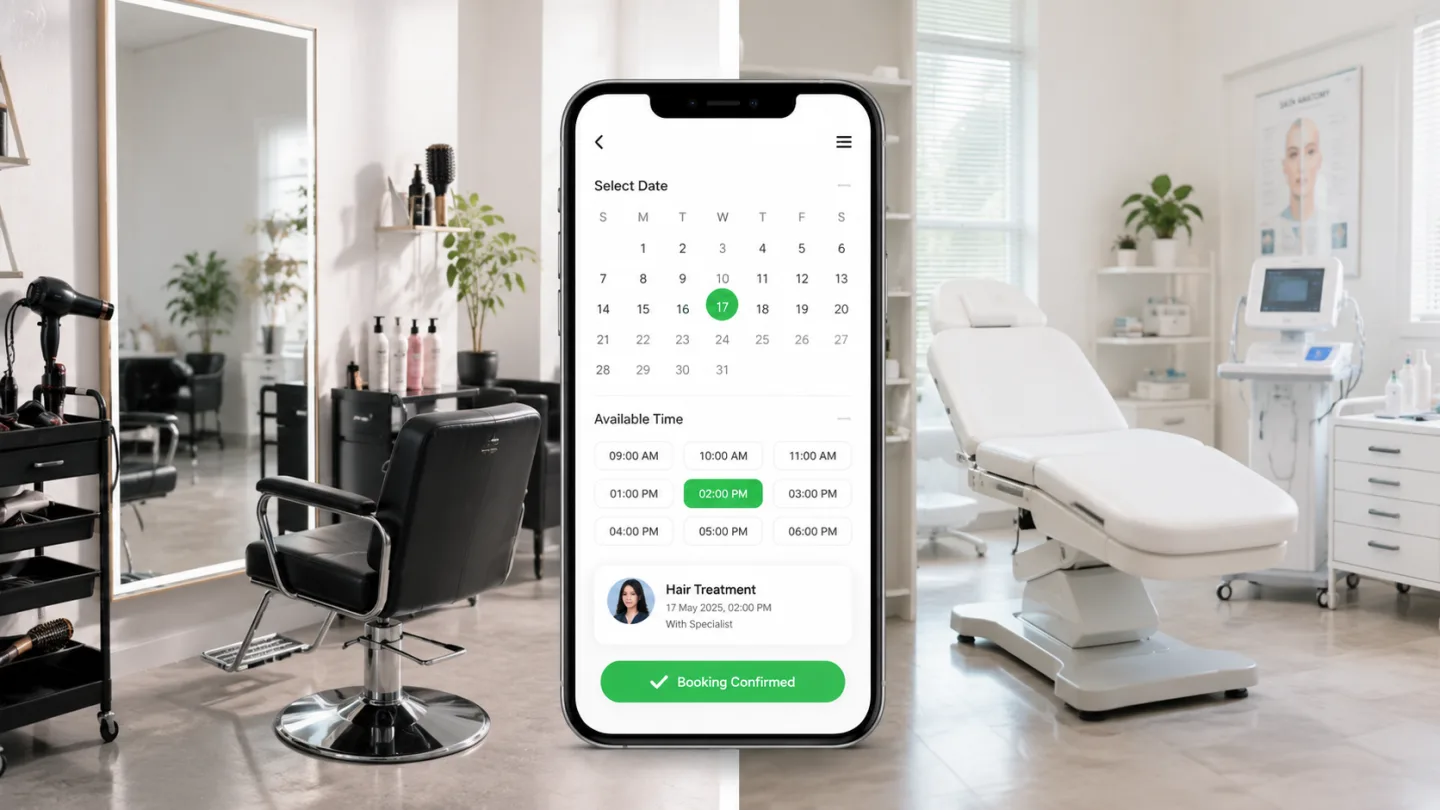
- They see real open slots. A client picks a service, chooses a specific team member (or "No preference"), picks a date, and sees the genuinely open times — calculated from that person's working hours, time off, the length of the service, and any gap you leave between appointments. No more offering a slot that's already taken.
- You confirm, they're set. The request lands as pending; you confirm with a tap. If they chose "No preference," WhatsMenu suggests your least-busy eligible team member, and you can always reassign.
- They can reschedule themselves. Every confirmation carries a "Manage booking" link so clients cancel or move their own appointment — no login, no calling the shop.
Each chair, each practitioner, on its own schedule
A multi-chair salon or a clinic with several practitioners needs each person's calendar kept separate — and WhatsMenu does that:
- Assign services to staff — who cuts, who colors, who does treatments. A service can be done by one person, a few, or anyone.
- Set each person's hours — a weekly schedule per team member, including split shifts (a morning block and an evening block).
- Block time off — whole days or a few hours, per person, so nobody gets booked while they're out.
- See the day at a glance — a team day view shows one column per person, with hours, time off, and every appointment laid out, plus an "unassigned" lane for requests waiting to be routed.
Book a specific stylist and only their real availability shows. Two clients reaching for the same last slot? Only one gets it.
Reminders and no-shows, handled
The two things that quietly cost you money — forgotten appointments and last-minute gaps — are built in:
- Automatic confirmations go out by email at no cost, with optional WhatsApp confirmations when you want them.
- A reminder before every appointment — set it to go out anywhere from an hour to two days ahead, so fewer clients simply forget.
- No-show handling — mark a no-show in one tap, or let WhatsMenu auto-flag missed appointments after a grace period. Clients who repeatedly don't show get a quiet badge, so your team can ask for a bit more commitment before holding a prime slot.
More than a booking tool — a storefront you own
Booking is one part of what your WhatsMenu storefront does. Because it's a full catalog platform, the same page can:
- List your full service menu with photos, durations, and prices, so clients know exactly what they're booking.
- Sell the products you retail — shampoos, styling products, aftercare — alongside your services.
- Take payments through the methods you choose, and keep every client's details in a customer list that's yours, not a booking app's.
- Run in more than one language — handy for mixed-language neighborhoods.
And it's a storefront you own: your brand, your clients, your link. No marketplace sits between you and the people in your chair, and no per-booking commission comes off the top.
Who this fits
- Hair salons and barbershops — book by stylist, keep each chair on its own calendar.
- Spas, nail bars, and beauty studios — services with real durations and prep time between them.
- Clinics, dentists, and therapists — appointment slots that respect each practitioner's hours and time off.
- Any appointment business — tutors, groomers, tattoo studios, trainers, consultants. If you sell time, it fits.
What it doesn't do yet
Straight talk: WhatsMenu bookings don't take a deposit or prepayment at the moment of booking yet — appointments confirm without charging up front. If you need a paid deposit, clients can still pay through your normal storefront checkout. Everything else — self-service booking, per-staff schedules, reminders, and no-show handling — is here today.
Frequently asked questions
Do my clients need to download an app to book?
No. The booking page is a normal web page — they tap your link or scan a QR at the front desk, pick a time, and enter their name and number. Rescheduling works from a link in their confirmation.
Can clients book a specific stylist or practitioner?
Yes. Each service can be tied to specific people, and clients pick their preferred team member or leave it as "No preference." Only that person's real open slots are offered.
How does it stop double-booking?
Slots come from real availability — staff hours, time off, service length, and the gap you set between appointments — and when two clients reach for the same slot at once, only one gets it.
Will clients get reminders?
Yes. Confirmations go out automatically by email (with optional WhatsApp), plus one reminder before the appointment at a lead time you choose.
Can I still take walk-ins and bookings I make myself?
Yes. You can add appointments from your panel any time — those skip the online availability checks so you can fit someone in. Only clients booking online are held to your posted availability.
Can I sell products as well as take bookings?
Yes. Your storefront is a full catalog, so you can retail products next to your services and keep everything — and every client — in one place.
Bottom line
Your calendar shouldn't depend on catching the phone between clients. WhatsMenu lets people book the right service, with the right person, at a genuinely open time — then reminds them so they show up. Fewer gaps, fewer no-shows, no phone tag — on a storefront that's yours.
Get started at whatsmenu.page/new. Want the full picture of how bookings work? See Take Reservations and Appointments Online, or start with What Is WhatsMenu?