TL;DR. WhatsApp Business Catalog is a free feature inside the WhatsApp Business app — a flat list of products customers see when they open your chat. It's perfect for a sole operator with a handful of items doing low-volume manual orders. WhatsMenu is a real storefront with cart, checkout, multiple payment gateways, scheduled orders, stock, variants, delivery zones, and WhatsApp-native confirmations layered on top. The moment you cross 20+ items, take more than a few orders a day, or want anything other than a one-on-one chat workflow, you've outgrown WhatsApp Catalog. WhatsMenu starts where Catalog stops.
These aren't competitors — they're different stages of the same merchant's journey. Catalog is a starter; WhatsMenu is what you graduate to.
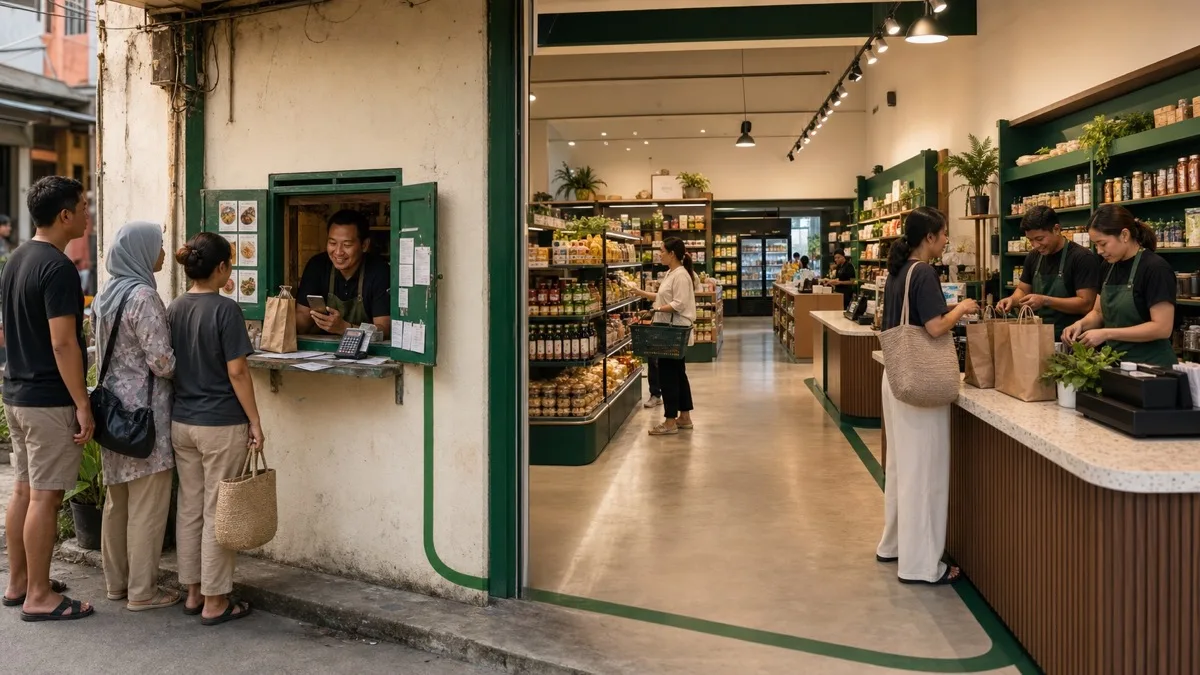
The core distinction: chat list vs storefront
- WhatsApp Business Catalog is a list inside a chat. Customers open your WhatsApp chat, tap your business profile, and see a scrollable list of products with photos, names, prices, and descriptions. They tap an item to send it as a message bubble back to you, then negotiate by chat — "Available?" "How much for delivery?" "Can I pay COD?" Every order is a manual conversation. The catalog is essentially a richer business-card menu, not a checkout system.
- WhatsMenu is a real storefront accessed via a URL. Customers tap your link (in your WhatsApp profile, Instagram bio, QR code, or anywhere else), land on a branded catalog with categories and search, add items to a cart with their chosen variants, check out with a payment gateway, and receive a WhatsApp confirmation. Orders flow into your dashboard automatically. No chat negotiation required for the basic transaction.
WhatsApp Catalog is great for showing someone what you sell. WhatsMenu is built for closing the order without you typing.
Side-by-side comparison
| Dimension | WhatsMenu | WhatsApp Business Catalog |
|---|---|---|
| What it is | Hosted catalog + ordering platform | Free feature inside the WhatsApp Business app |
| Where customers see it | Your storefront URL (your-name.whatsmenu.page or custom domain) — accessible from anywhere |
Inside your WhatsApp chat profile — only visible when chatting with you |
| Cost | Flat SaaS subscription | Free |
| Catalog limit | Effectively unlimited | Up to 500 items (Meta's stated cap) |
| Categories | Yes — multi-level grouping with category pages | Limited — flat list with collections (Business Platform / API offers more) |
| Variants / options | Native — sizes, colors, add-ons, customisations, custom item fields | Not supported — variants must be separate items |
| Stock management | Yes — per-item availability and quantity | No native stock tracking |
| Cart | Native multi-item cart | None — customer sends one item at a time as a chat message |
| Checkout | Real checkout — buyer details, address, payment, delivery method | None — order completion happens manually in chat |
| Payments | 20+ direct gateways, plus cash on delivery | Manual — bank transfer, e-wallet, cash, or WhatsApp Pay (very limited countries) |
| Order capture | Structured order in your dashboard with timestamps, status, history | Chat thread — you transcribe details into your own notes/spreadsheet |
| Order status updates | Native WhatsApp status updates triggered by your dashboard | You type each update by hand |
| Scheduled orders | Yes — pre-orders, time-slot delivery, daypart menus | Not supported |
| Delivery zones / pickup | Native — map-based zones, pickup option, in-house drivers | Not supported — handled by chat |
| Reservations / dine-in | Native Reservations, Floorplan, Daypart, Daily Limit | Not supported |
| POS / in-person | Native cloud POS, kitchen display, drivers | Not supported |
| Loyalty / coupons | Loyalty + Coupons modules | Not supported |
| Multiple operators | Multi-staff dashboard with roles (Owner / Staff / Driver) | All chats hit the same WhatsApp inbox |
| Volume capacity | Hundreds to thousands of orders/month without operator burnout | Bottlenecked by how many chats one human can manually process |
| Multi-channel | Same catalog accessible via web, Instagram, TikTok, QR code, Google Business Profile | Visible only inside WhatsApp chats |
| Branding / domain | Custom domain, full branding | Lives inside WhatsApp's UI |
| Reports / analytics | Reports module, Google Analytics, Facebook Pixel, TikTok Pixel | None native (basic chat metrics) |
| WhatsApp Pay availability | Pay-by-link works in any country with a connected gateway | WhatsApp Pay's footprint is narrow and shifting: P2P payments are live in India (UPI-based); business payments work in India, Mexico, and Indonesia; Singapore is business-only; Brazil's business payments ended January 2026 (payment links and Pix continue) |
| Best for | Anyone past the "5 SKUs and a couple of orders a day" stage | Sole operators with a handful of items and low volume |
Why WhatsApp Catalog hits a ceiling
WhatsApp Business Catalog is genuinely useful for a brand-new business. You set up the WhatsApp Business app, photograph 8 items, type their names and prices, and you have a catalog visible in your chat profile. Friends, neighbours, and walk-in referrals tap through, ask about an item, and you reply by hand. It works.
The ceiling shows up fast:
- You hit 30+ items, and customers have to scroll a flat list to find anything. No categories that scale. No search.
- Customers ask "what colors does it come in?" Variants don't exist in Catalog. You either create one product per variant (catalog explodes) or answer in chat (you become a catalog lookup human).
- Two customers DM at once during lunch. You can only type one reply at a time. Orders pile up. Some customers give up.
- You want to take payment online. WhatsApp Pay isn't available in your country, or your gateway isn't connected, or the customer needs an invoice. You're back to bank-transfer screenshots and manual confirmation.
- You want to know "how much did I sell last week." No reports. You scroll your chat history.
- Stock runs out mid-day. No way to mark unavailable. Customers keep ordering things you don't have.
- Staff joins. WhatsApp Business doesn't have multi-operator dashboards (the WhatsApp Business Platform / API does, but that's a different product with a different setup cost). Everyone shares the same phone or you split the inbox awkwardly.
Every one of these problems is what WhatsMenu solves natively — without removing the WhatsApp channel itself. Customers still confirm and chat on WhatsApp; the order capture and operations move to a real platform.
Where WhatsApp Business Catalog pulls ahead
Free and instant
No subscription, no setup time beyond the WhatsApp Business app. For a tiny operation, that's genuinely all you need.
Native to where customers already chat
Customers don't have to tap a link or open a website. The catalog appears inside the chat they're already in. Friction is near zero for a customer who already messaged you.
Personal, conversational
For a small artisanal business — handmade pottery, custom cakes, bespoke tailoring — chat-based ordering has a personal touch a checkout can't replicate. The conversation is the brand.
Works on the WhatsApp number you already have
No new domain, no new app, no new login. Your existing customer base messages the same number; the catalog just makes it easier for them to point at items.
Where WhatsMenu pulls ahead
You stop being the order-capture human
On WhatsApp Catalog, every order is you typing. Every variant question, every total calculation, every "do you deliver to X area," every "how do I pay" — manual. WhatsMenu turns the customer into the order-entry clerk: they pick the variant, they confirm the address, they pay through the gateway, the order appears in your dashboard with everything filled in. You spend the saved hours on what actually grows the business.
Real catalog structure for any business size
Categories, search, variants, options, bundles, stock, custom item fields, scheduled orders, daypart availability. Once your catalog has more than 20 items, structure stops being optional.
Real payments, instantly reconciled
Stripe, PayPal, Razorpay, Billplz, Chip, HitPay, Mercado Pago, Toyyibpay, Cashfree, Mollie, Paystack, plus 15+ more — pick the gateway your country actually uses, and orders mark as paid automatically. No bank-transfer screenshot review.
Multi-channel reach with one catalog
Your WhatsMenu catalog is the same whether the customer comes from Instagram, TikTok, Google Business Profile, a QR code on your shop window, a marketplace listing, or a WhatsApp link. WhatsApp Catalog is only visible if the customer messages you first.
Operations: pickup, delivery, drivers, kitchen, reservations
Every operational module that actually runs a local business — pickup zones, in-house drivers, kitchen display, floor plan, daypart menus, daily order limits, reservations, services, vCards — is included in WhatsMenu. WhatsApp Catalog is a list, not an operation.
Scales without you
Two staff members log into the WhatsMenu dashboard, each handles their own orders, the customer doesn't notice. On WhatsApp Business, one phone equals one operator equals a hard ceiling on how many orders a day you can process.
The smart upgrade path
If you're using WhatsApp Catalog today and it's working, the upgrade isn't "abandon WhatsApp." It's "keep WhatsApp as the customer-conversation channel, move the catalog and order capture to WhatsMenu":
- Build your WhatsMenu storefront. Import your existing items (CSV from a spreadsheet, or photograph fresh). Configure your gateway, delivery zones, and branding.
- Replace the WhatsApp Catalog link in your chat profile with your WhatsMenu storefront URL. Customers who tap your business profile now land on a real catalog.
- Pin your storefront link in your WhatsApp Business "About" section and as a quick reply.
- Keep WhatsApp as the conversation channel. Customers still ask questions, send "is this available," confirm pickup time. WhatsMenu's native WhatsApp notifications handle order confirmations and status; chat handles everything else.
- Optionally keep WhatsApp Catalog populated with your bestsellers as a low-friction first impression for chat visitors who haven't tapped the storefront link yet — but treat it as a teaser, not the catalog.
This way, the channel customers love (WhatsApp) stays where it is. The operations that drained your time (manual order entry, payment chasing, stock tracking) move to a system built for that work.
When WhatsApp Catalog alone is fine
- You're a sole operator with under 20 items.
- Your volume is genuinely low — under 5–10 orders a day.
- Your orders are highly customised and require chat anyway (custom cakes, made-to-order tailoring).
- You don't accept online payments — bank transfer or cash on delivery is universal in your network.
- You have no plans to scale beyond yourself.
If all of these are true, WhatsApp Catalog is enough. The moment any one of them changes, you're on the upgrade path.
When WhatsMenu is the right choice
- Your catalog has more than 20 items, or has real variants (sizes, colors, options).
- Two or more people fulfil orders.
- You take 10+ orders a day and chat-based handling is eating your day.
- You want to accept online payments.
- You want stock tracking, scheduled orders, delivery zones, or any operational tooling.
- You want to sell across channels — Instagram, TikTok, Google, QR codes, a real domain — not just inside WhatsApp chats.
- You want repeat customers to find you without messaging first.
Frequently asked questions
Is WhatsApp Business Catalog free?
Yes — the WhatsApp Business app and its Catalog feature are free. There are no per-item fees and no transaction cuts. WhatsMenu is paid because it does substantially more.
Will I lose my WhatsApp customers if I move to WhatsMenu?
No. WhatsApp stays exactly as it is — same number, same chats, same conversations. WhatsMenu adds a catalog and ordering layer on top. Your customers keep messaging you; orders just stop requiring you to type them.
Can I use the same WhatsApp number for both?
Yes. Most merchants use one WhatsApp Business number for chat and route order notifications through that same number (or a dedicated notification number if volume is high). Whatsappnotify and similar modules in WhatsMenu integrate with your existing WhatsApp setup.
Can WhatsMenu push messages to WhatsApp like Catalog does?
WhatsApp Business Catalog itself doesn't push outgoing messages — customers initiate. WhatsMenu sends transactional notifications (order confirmation, status updates, payment receipts) through WhatsApp via your connected number or the WhatsApp Business Platform / Twilio. Marketing broadcasts require WhatsApp Business Platform compliance — both products operate within the same Meta-imposed rules.
What about WhatsApp Pay?
WhatsApp Pay's footprint is narrow and shifting. Peer-to-peer payments are currently live in India (running on UPI). Business payments inside chat work in India, Mexico, and Indonesia, with Singapore supporting business-only flows. Brazil's business payments ended on January 15, 2026, with payment links and Pix continuing in their place. Anywhere else, WhatsApp Pay is unavailable. WhatsMenu accepts payments through 20+ gateways globally — including pay-by-link sent over WhatsApp — so you're not waiting on Meta to ship Pay in your country.
Is WhatsApp Catalog the same as WhatsApp Business Platform / API?
No — these are different products from Meta:
- WhatsApp Business app (free, mobile): includes the basic Catalog feature this article compares.
- WhatsApp Business Platform (formerly API, paid, infrastructure-level): supports broadcasts, templates, multi-agent inboxes, and richer commerce flows. WhatsMenu integrates with this for high-volume merchants.
This article focuses on the free Business app's Catalog, since that's what most small merchants compare against WhatsMenu.
Can I import my WhatsApp Catalog into WhatsMenu?
Not via a one-click sync. The fastest path is to export your product list from your spreadsheet (or screenshot the catalog and re-photograph) and use WhatsMenu's CSV import, which takes a few minutes for under-100-item catalogs.
Does WhatsMenu work without a custom domain?
Yes. Every WhatsMenu account gets a free subdomain at your-name.whatsmenu.page. Custom domains are supported on paid plans if you want one.
Will customers still trust a WhatsMenu storefront the way they trust the WhatsApp chat?
Yes — and arguably more. A real storefront with a branded URL, a structured catalog, and a payment gateway looks more legitimate than a chat-based informal order. The WhatsApp confirmation that arrives after checkout closes the loop and reassures the customer that the conversation is still on their preferred channel.
Bottom line
WhatsApp Business Catalog is a free, useful starter for a sole operator with a handful of items and time to handle every chat by hand. Past that point, it becomes the bottleneck — manual orders, no variants, no real payments, no stock, no scaling beyond one human.
WhatsMenu picks up where Catalog stops. Real catalog, real cart, real payments, real operations — with WhatsApp kept as the customer-conversation channel that already works. You don't replace WhatsApp; you stop being the catalog's order-entry human.
Get started at whatsmenu.page/new and keep the WhatsApp chat exactly as it is.