So, you’re building a website. Good for you!
If you’ve done any searching at all, you’ve probably heard the name "WordPress" shouted from the rooftops. It runs like 40% of the entire internet. That’s huge.
But here is the question nobody seems to answer straight: Is it actually right for me?
Sometimes it feels like everyone assumes you’re a tech wizard. Other times, it feels like they’re trying to scare you away. I want to sit down with you (virtually) and just talk about the real, honest pros and cons of using WordPress. No jargon, no hype.
Let’s get into it.
5 Reasons Why People (Including Me) Love WordPress
1. It’s Like a Giant Box of LEGOs
You know how with LEGOs, you can either follow the instructions to build a castle or just go crazy and build a spaceship? That’s WordPress. It can be a simple blog, a fancy online store, or a place where you sell courses. There is a plugin for almost everything. You aren't boxed in by someone else's rules.
2. You Actually Own Your Stuff
This is a big one. If you build your site on Wix or Squarespace and you piss them off (or they go out of business), your site vanishes. With WordPress, you built it on your own land. You can pick up your ball and go to a different hosting company whenever you want. That freedom feels good.
3. Google Loves It
If you want people to find you on Google, WordPress gives you a head start. It’s built in a way that search engines understand easily. And if you want to get fancy with SEO later, there are tools that hold your hand and tell you exactly how to write your posts so they show up on page one.
4. There’s Always Someone to Help
Got a problem? Stuck on something? Just type the error message into Google. I promise you, at least five other people have had that exact same problem and posted the solution online. There are forums, Facebook groups, and tutorials everywhere. You are never alone in this.
5. It Can Be Super Cheap to Start
When you're just starting out, money matters. The WordPress software itself is free. You only need to pay for a place to put it on the internet (hosting) and a name for your site (domain). You can get going for the price of a couple of fancy coffees.
5 Reasons Why WordPress Can Be a Headache
Okay, now for the stuff that can be frustrating.
1. You Have to Be the Janitor
Having a WordPress site is like owning a house. Sure, you don't have a landlord, but when the pipe bursts? That's on you. You have to log in and run updates. If you don't, your site can get slow or, worse, hacked. It's not hard work, but it is regular work.
2. Speed is Not Guaranteed
A brand new WordPress site is fast. But we humans love to add things. We add a photo gallery plugin, a contact form plugin, a social media plugin... and suddenly the site moves like it's walking through mud. You have to be a little bit disciplined, or your visitors will get annoyed and leave.
3. Not All Plugins Are Created Equal
Remember how I said there are plugins for everything? Well, anyone can make a plugin. Some are made by geniuses, and some are made by... well, let's just say enthusiastic amateurs. If you pick a bad one, it can break your whole site. You have to be a bit picky.
4. Hackers Are Circling
This sounds scary, but it's just the truth. Because WordPress is so popular, hackers practice attacking it. It’s like a thief walking down a street—they are going to try the handles of the most common doors first. If you don't put a good lock on (good security practices), you're an easy target.
5. The "Oh No, Did That Break It?" Fear
We’ve all felt it. You see a notification: "A new version of WordPress is available." You click update, and your heart races. Did the menu just disappear? Is my layout broken? That anxiety is real. Usually, it’s fine. But when it’s not, it’s a pain to fix.
So, Should You Use It? Let’s Find Your Lane.
Alright, we’ve had the chat about the good and bad. Now, let’s figure out which category you fall into.
If you just want a simple site and don't like tech:
My advice: Tread carefully.
Look, you can use WordPress. But you need to be honest with yourself. If you don't want to log in every month to click "update," look for something called "Managed WordPress Hosting." It costs a little more, but it’s like having a handy neighbor who shovels your snow for you. They handle the updates and the security. It takes the stress away. If you really hate tech, maybe check out a simpler tool like Squarespace first.
If you are a techy person or a developer:
My advice: Dive in headfirst.
You are going to love this. You have complete control. You can get cheap hosting, roll up your sleeves, and build exactly what you want. You can code little tweaks, choose super-fast hosting, and make the site sing. For you, the "cons" I listed aren't problems—they're just part of the fun of building something yourself.
If you have a company with an IT team:
My advice: This is a power move.
WordPress is perfect for teams. Why? Because your marketing people can write blog posts and add new pages without bothering the IT guys. And your IT guys can sleep soundly knowing they have full control over the security and backups. It gives the creative people freedom, while the technical people keep the ship from sinking. It's a good balance.
The Bottom Line
At the end of the day, choosing a platform comes down to one question: How much time do you want to spend fixing things versus actually running your business?
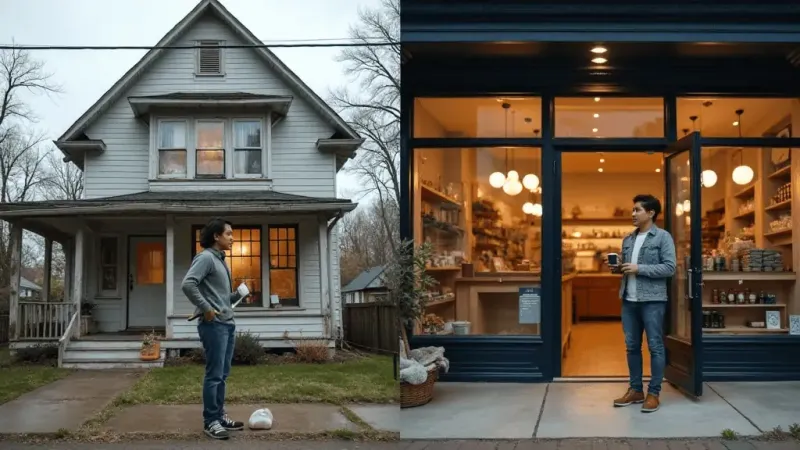
WordPress is like buying a fixer-upper house. It has great bones, and you can make it look exactly how you want. But you have to be willing to paint the walls, mow the lawn, and pray the boiler doesn't explode on a Sunday.
For some people, that's the fun part.
But if you'd rather just open the front door and get to work, there are tools built for exactly that. WhatsMenu, for example, was designed for business owners who want the professional look without the late-night update anxiety.
You bring your products. We handle the rest. Simple as that.
So if the trade-off of saving time and avoiding tech headaches sounds better than learning how to fix plugins... then you know where to find us.